Product Tour
Everything a commercial appraisal file needs, from intake to delivered report.
One product, no add-on modules. Here's what's actually inside.
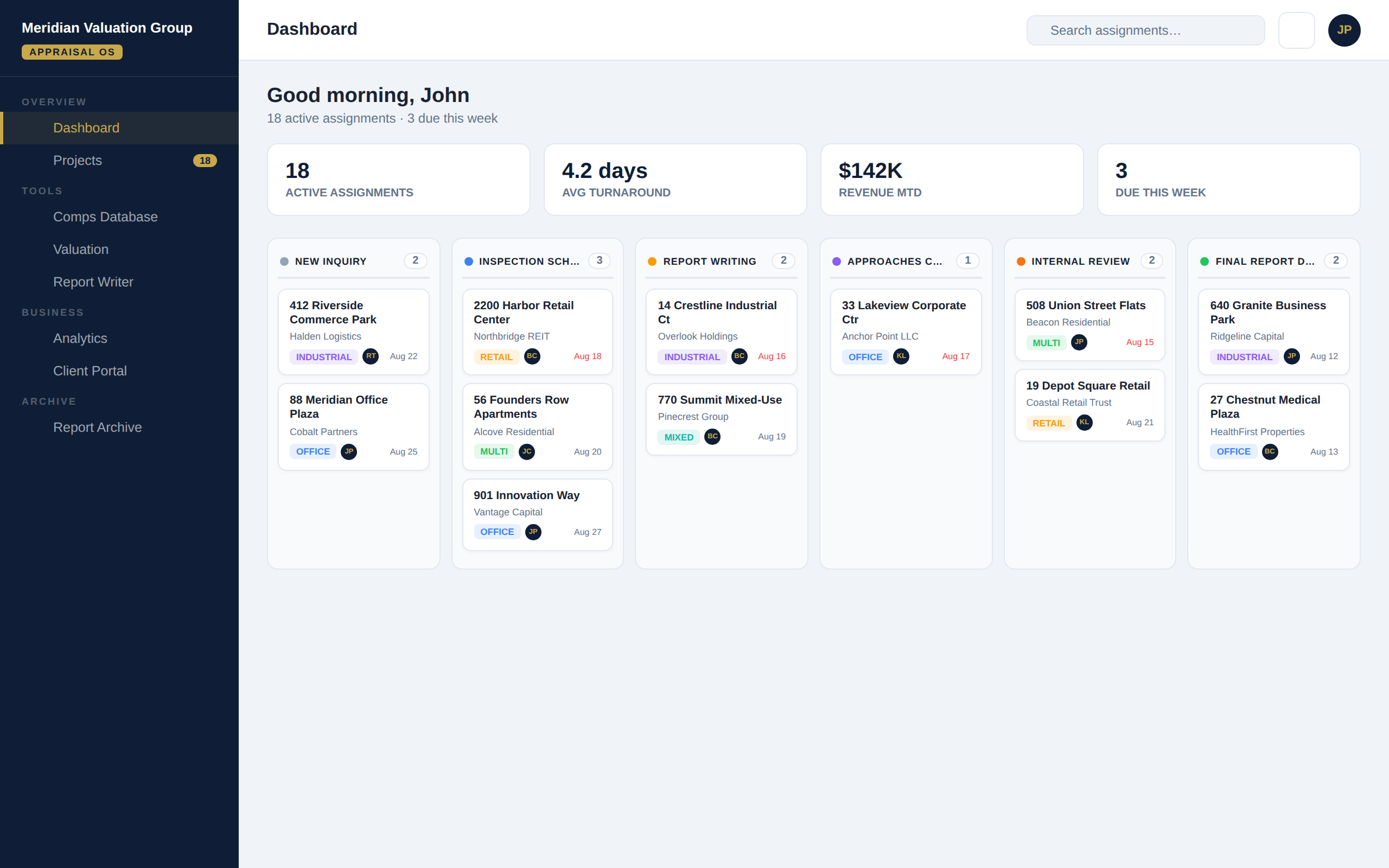
One product, no add-on modules. Here's what's actually inside.
Every assignment moves through New Inquiry, Engagement Confirmed, Inspection Scheduled and Complete, Report Writing, Approaches Completed, Draft Report, Internal Review, Final Report Delivered, Revisions, Invoice Sent, Payment Received, and Closed. Role-based rules control who can move a file into which stage.
Every stage change is logged: who made it, and when. No more "I thought that was done."
A kanban board of every active assignment grouped by stage, a calendar merging deadlines and inspection dates, an upcoming-deadlines list, and a real activity feed pulled from the stage-change history — not static placeholders.
Full Income Capitalization and Sales Comparison approaches: rent roll builder, basis-specific adjustment grids, comp photo uploads, and a reconciliation view — exportable straight to PDF or image for the report.
A searchable archive of your own firm's historical subjects and comparable sales, so past work becomes a reusable asset instead of a closed file on someone's drive.
Generate narrative reports from your firm's own templates, with assignment data pulled in automatically instead of retyped.
A shared document checklist per assignment — engagement letters, title reports, rent rolls, drafts, finals — visible to the whole team and backed up, supporting USPAP's workfile retention expectations.
Let clients check on their own assignment's status without a phone call or an email chain, on the terms you control.
Turnaround time, revenue, and workload trends drawn from real assignment data, not a spreadsheet someone forgot to update.
Track invoices against assignments as part of the same workflow, instead of a separate system that's out of sync with the file.
Permissions are enforced by the system, not by trust alone — a role can only move a file into the stages it's actually allowed to touch.
Every firm's data is isolated at the database level, not just hidden in the interface — enforced by row-level security policies that run on every single request, independent of what the app's front end asks for.
Authentication, sessions, and password resets run through a dedicated auth system. No shared spreadsheets, no shared logins, no exceptions.
Start a trial and we'll walk your team through getting set up.
Start a Free Trial